


MO-81 Multifunction Optocoupler Tester 7-in-1 Component Checker For IGBT SCR TL431 NPN PNP NMOS PMOS Repair Diagnostic Tool
MO-81 Multifunction Optocoupler Tester 7-in-1 Component Checker For IGBT SCR TL431 NPN PNP NMOS PMOS Repair Diagnostic Tool
SKU:1005012669056016
Low stock: 10 left
Couldn't load pickup availability
Check the part details and order terms before buying. Need a specification confirmed? Contact Keyead.
- Product type
- hardware
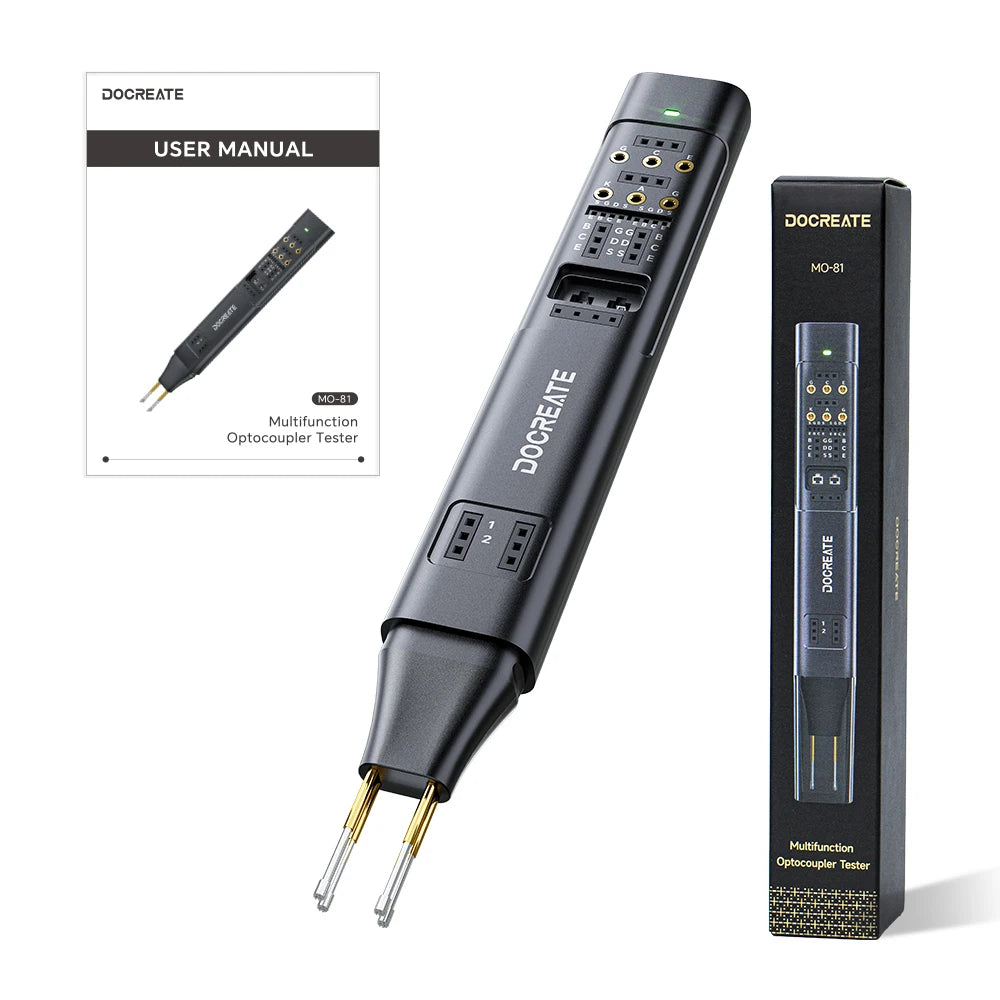
7-in-1 multifunction testing capability The MO-81 tester checks IGBT, SCR, TL431, NPN, PNP, NMOS, PMOS components with precision. It's ideal for diagnosing and repairing electronic circuits efficiently.
Auto range operation for ease of use Equipped with Auto Range function, the device automatically detects measurement ranges. This simplifies testing without requiring manual adjustments.
Supports DC and AC voltage testing Capable of measuring up to 5V DC and 5V AC, the MO-81 provides accurate readings for low-voltage circuits commonly found in electronic repairs.
Maximum DC current up to 1A With a 1A Max DC current capacity, the tester safely handles typical current levels in small electronic systems and power modules.
Built-in battery for portability Includes a built-in battery, allowing for standalone operation without external power. This makes it convenient for field repairs and on-the-go diagnostics.
The MO-81 Multifunction Optocoupler Tester is designed for fast component checking, repair work, quality inspection, and electronic engineering use. It supports multiple common electronic components and helps users quickly identify component status through simple plug-in testing and clear indicator feedback.
Specifications
Product Name: Multifunction Optocoupler Tester
Model: MO-81
Input Voltage: 5V
Input Current: 1A Max
Battery Capacity: 200mAh
Product Size: 163 × 21 × 13mm
Supported Components: Optocoupler, IGBT, SCR, TL431, NPN, PNP, NMOS, PMOS
Package Includes
1 × MO-81 Multifunction Optocoupler Tester
1 × Protective Cover
1 × Charging Cable
1 × User Manual


Get the details right before you order.
A close match is not always the right part. Compare the listing with your existing component and contact Keyead when a specification needs checking.
Contact KeyeadHow do I check whether a part is suitable?
Compare the complete part number, equipment model, dimensions, connections and listing details. Similar names or appearance do not confirm compatibility.
What should I include in a product question?
Include the product link or part number, equipment model, required quantity and the specification you need to confirm. Photos of the existing part can help explain your question.
Where can I check shipping details?
Review the published policy for shipping terms before placing your order. Read the shipping policy.
Where can I check return terms?
Review eligibility, conditions and the return process in the published policy. Read the refund policy.