


MECHANIC IR10 PRO Electric Glue Remover 6in1 3-Gear Adjustable Screw Extractor Kit for Mobile Phone Screen Glue Removal Polish
MECHANIC IR10 PRO Electric Glue Remover 6in1 3-Gear Adjustable Screw Extractor Kit for Mobile Phone Screen Glue Removal Polish
SKU:
Low stock: 10 left
Couldn't load pickup availability
Check the part details and order terms before buying. Need a specification confirmed? Contact Keyead.
- Product type
- hardware
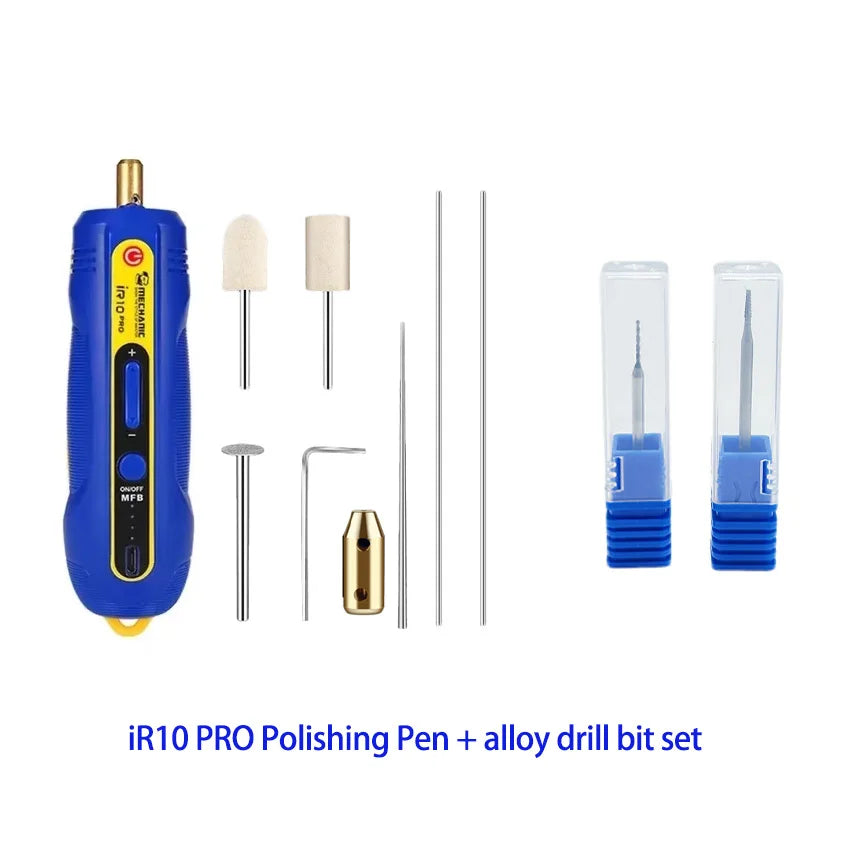
6-in-1多功能设计,高效解决手机维修难题 The iR10 PRO Electric Glue Remover features a 6in1 combination of functions including glue removal, polishing, and cutting for phone LCD screens, making it ideal for mobile phone repair and LCD maintenance.
三档可调速电机,精准控制高效作业 Equipped with a third gear adjustable high-efficiency motor, this tool delivers precise speed control for different repair tasks, ensuring smooth and safe operation during screen glue removal.
USB充电设计,便捷持久供电 The USB charging feature allows for convenient power supply, enabling continuous use without the need for disposable batteries and supporting long-term repair sessions.
可更换头设计,适应多种维修场景 With interchangeable heads, the iR10 PRO kit adapts to various repair needs, enhancing versatility and efficiency in mobile phone screen maintenance and glue removal tasks.
绿色防尘灯,提升操作可视性 The green dust lamp provides clear visibility during delicate repairs, helping users work accurately in low-light environments and improving overall repair precision.
MECHANIC iR10 PRO Electric Glue Remover - Redefine Phone Repair Efficiency
1. 6-in-1 Multifunctionality, One Tool for All Repair Needs
2. Smart 3-Gear Speed Adjustment & Green Dust Lamp
3. Durable Performance & User-Centric Design
4. Professional-Grade Results
How to turn on the device?
1. Press and hold the MFB button to turn on the device
2. Press and hold the red switch button after turning on the device to rotate it


Detailed Product Usage Tutorial:


Get the details right before you order.
A close match is not always the right part. Compare the listing with your existing component and contact Keyead when a specification needs checking.
Contact KeyeadHow do I check whether a part is suitable?
Compare the complete part number, equipment model, dimensions, connections and listing details. Similar names or appearance do not confirm compatibility.
What should I include in a product question?
Include the product link or part number, equipment model, required quantity and the specification you need to confirm. Photos of the existing part can help explain your question.
Where can I check shipping details?
Review the published policy for shipping terms before placing your order. Read the shipping policy.
Where can I check return terms?
Review eligibility, conditions and the return process in the published policy. Read the refund policy.